Process automation for Quebec SMEs: a 2026 guide
The labour shortage isn't going away. For most Quebec SMEs, the question is no longer should we automate? but where do we start?, because your employees' time has become your scarcest resource.
This guide gives you a method for choosing which processes to automate first, an ROI estimate by process type, and the list of Quebec funding programs that can cover up to half the bill in 2026.
The golden rule: automate the repetitive, not the rare
First, a principle: you automate what is frequent, rule-based and time-consuming. A process run once a quarter almost never justifies the automation effort. A process run 50 times a day, yes, even if it only takes five minutes each time.
Do the math: 50 times × 5 minutes × 250 days = over 1,000 hours a year. That's more than half a full-time-equivalent position devoted to a single micro-task.
The prioritization matrix
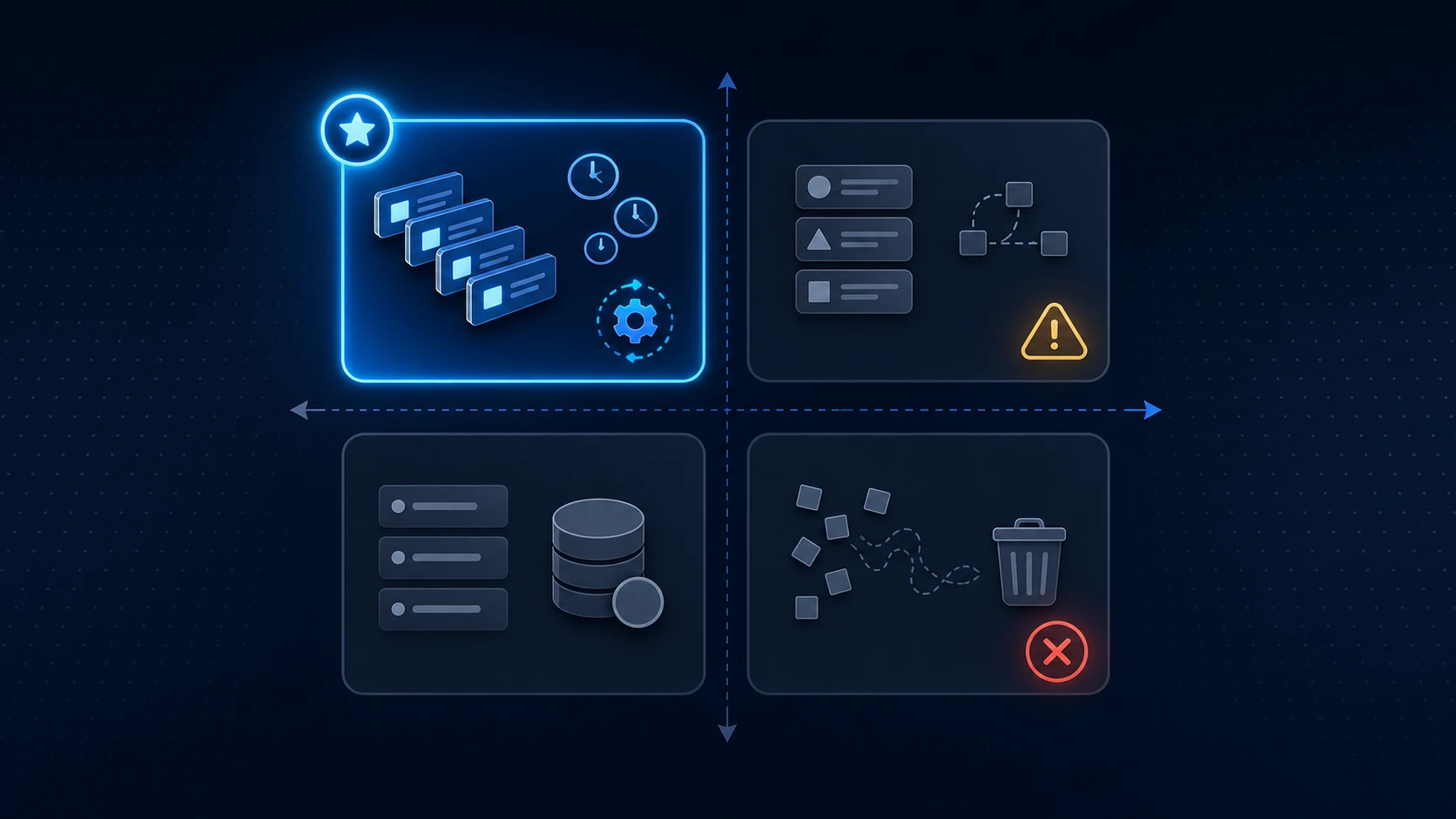
Rank each candidate process on two axes: frequency/time consumed and ease of automation (clear logic, digital data, few exceptions).
| Easy to automate | Hard to automate | |
|---|---|---|
| High impact (frequent, time-consuming) | ✅ Start here | ⚠️ Plan (custom project) |
| Low impact (rare, quick) | 🔸 Later, if cheap | ❌ Don't automate |
Your first automation project should always come from the "high impact / easy" quadrant. That's where ROI arrives fast and where you build the internal confidence for the projects that follow.
The processes to automate first (and their typical ROI)
Here are the targets that come up most often in Quebec SMEs, from most profitable to most complex.
1. Invoicing and payment reminders
Automatic invoice generation, sending, and reminders for overdue accounts. Typical ROI: very high. Reduces invoicing errors, speeds up collections and frees your admin staff. Often pays for itself in under 6 months.
2. Data entry and synchronization between systems
Manually re-entering data from one system to another (from the web form to the CRM, from the CRM to accounting) is one of the most common forms of waste, and one of the easiest to eliminate through systems integration. ROI: high, especially if your teams copy-paste daily.
3. First-level customer service
Automated answers to frequent questions, acknowledgements, request routing. A well-designed AI chatbot can handle a significant share of incoming volume. ROI: high as soon as request volume is significant.
4. Reports and dashboards
Automatic compilation of sales, operations or finance data into ready-to-read reports. ROI: medium to high, with a hidden benefit: better decisions thanks to fresh data.
5. Approvals and internal workflows
Leave requests, purchase orders, expense approvals. ROI: medium, but a real gain in speed and traceability.
6. ERP / inventory / production synchronization
The most complex, but often the most transformative for manufacturers. It's exactly what we built for DJ Revêtement: a platform connecting production, inventory and invoicing end to end. ROI: high, over a longer horizon.
How to estimate the gain before you commit
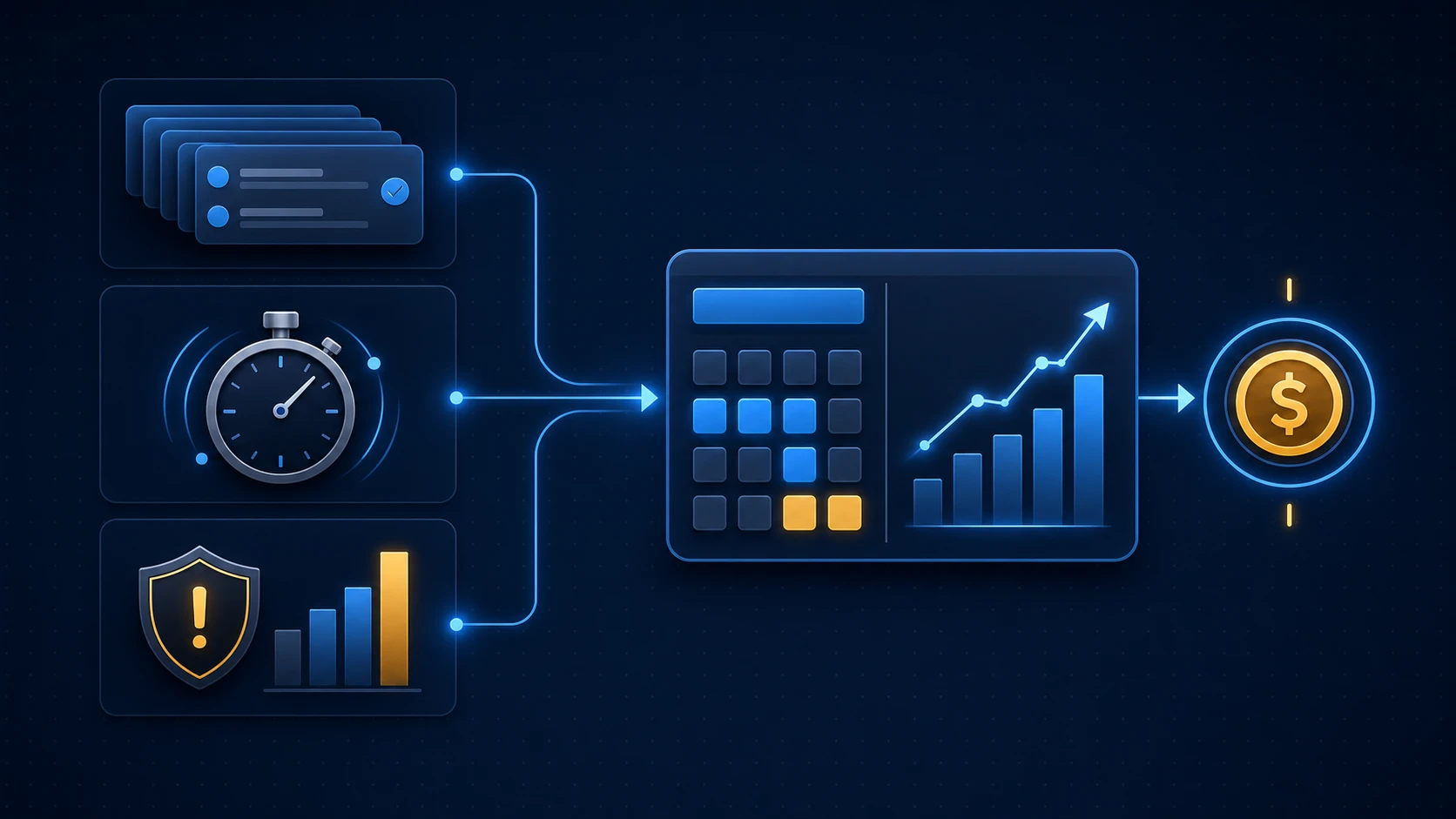
The matrix above tells you what kind of process to look at. To rank specific candidates inside your business, score each one on three factors:
- Volume: how many times per day, week, or month does it run?
- Time per execution: how many minutes end to end, including context switching?
- Business stakes: what does an error cost (downside), and does the process touch revenue, customer experience, or scaling (upside)?
The formula we use in client engagements is:
Monthly value ($) = (Volume × Time × Loaded hourly rate × Strategic multiplier) + (Volume × Error rate × Error cost)
The strategic multiplier (1.0 for back-office, 1.5 for customer-facing, 2.0 for revenue-touching, 3.0 for scaling unlocks) is the step most teams miss. It is exactly why an invoicing automation can be worth two to three times more than a payroll consolidation that feels equally painful.
Go deeper. We walk through the full scoring framework, a worked SMB example, and a copy-paste spreadsheet template in How to Choose What to Automate First (in 3 Factors). Run that scorecard on your own processes before you call any vendor.
Multiply the monthly values by 12, compare to the amortized cost of automation, and you have a clean go / no-go. Our guide on calculating custom software ROI layers the Quebec tax credits on top.
Quebec funding programs (2026)
This is the advantage many SMEs leave on the table. Several programs can fund a significant part of your automation project:
- ESSOR program (Investissement Québec): for a digital diagnostic, a digital plan or its implementation, ESSOR can cover 50% of eligible costs, up to $20,000 for the diagnostic and plan, and up to $50,000 for implementation. Larger streams exist for major projects.
- Audit 4.0 (an ESSOR stream): funds a digital diagnostic to target your automation priorities and system selection (ERP, WMS, TMS).
- Tax credits: developing custom automations may be eligible for the CRIC (up to 30% refundable) and the C3i for management software. See our tech tax credits guide.
Tip: often start with a funded digital diagnostic. It establishes the roadmap, justifies the investment and unlocks the subsequent funding streams.
A concrete example: the PDF that cost half a position
A distribution SME received its orders by email, as PDFs. An employee read them, re-entered each line into the accounting system, then sent a confirmation. Forty orders a day, about four minutes each: nearly three hours a day, plus the transcription errors that generated customer disputes.
Automation extracted the data from the PDFs, created the orders in the system, and sent the confirmation, with no human intervention for 85% of cases. The rest (non-standard PDFs) is routed to the employee for manual handling. The result: about 600 hours recovered per year, data-entry errors nearly eliminated, and a project that paid for itself in under eight months, before even counting the tax credits.
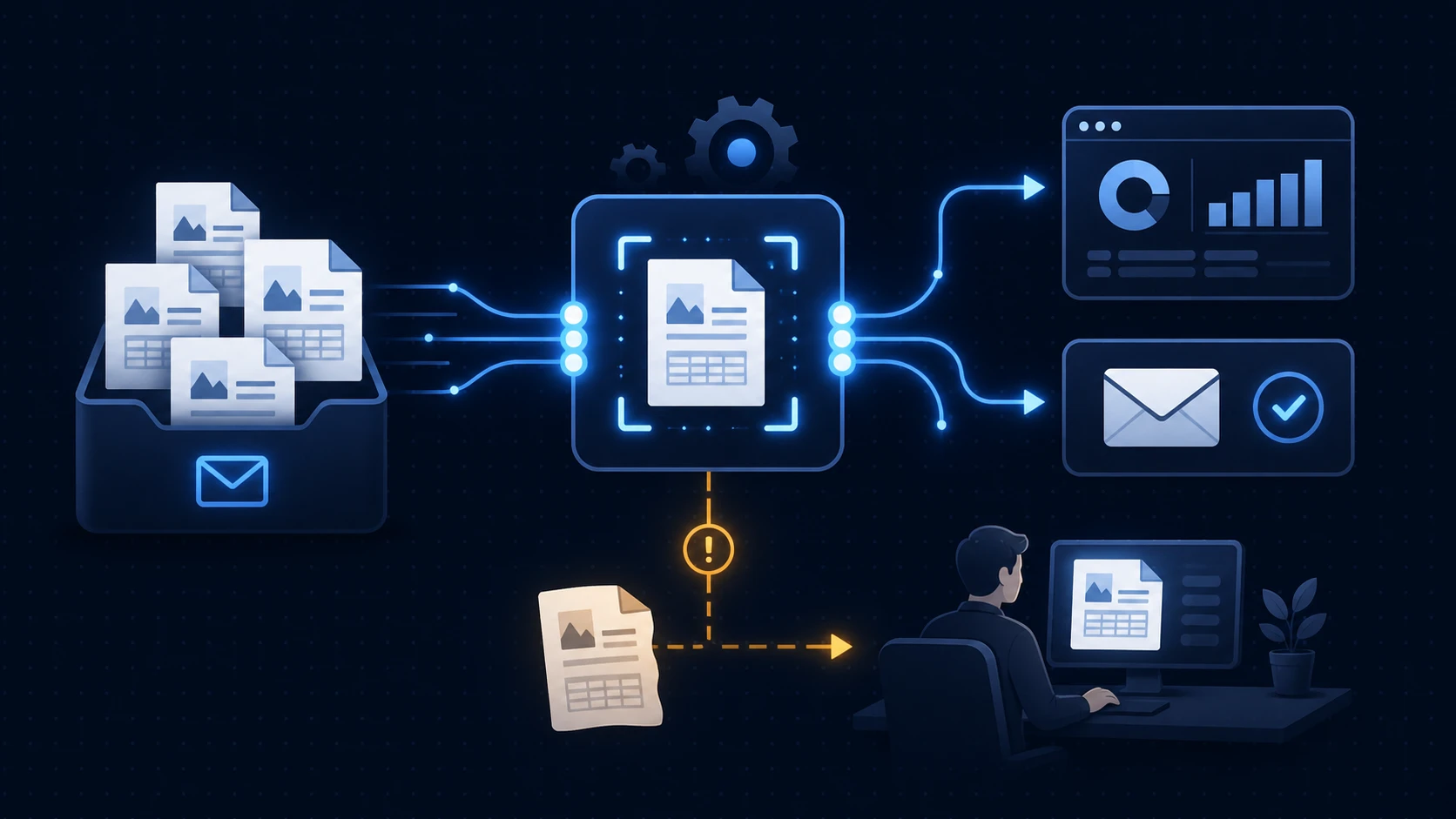
The moral: the most profitable target is almost never glamorous. It's the invisible micro-task everyone does "because we've always done it that way."
Off-the-shelf tool or custom automation?
For many standard processes, an existing tool (Zapier, Make, or a module of your current software) is enough and costs little. Favour it when the process is common and the connectors already exist.
Custom becomes justified when: your business logic is particular, you're connecting systems that have no standard connector, the volume makes per-task subscriptions too expensive, or the data is too sensitive to pass through a third-party service (think Law 25). The right approach often combines both: off-the-shelf tools for the simple, custom for the critical core.
The mistakes to avoid
Automating a bad process. If a process is broken, automating it only accelerates the chaos. Simplify first, automate second.
Aiming too big at the start. A first project should deliver a fast, visible win. "Big bang" mega-projects fail more often.
Forgetting the people. An automation that threatens or confuses your employees will be worked around. Involve teams early and show them what they gain in time.
Frequently asked questions
Which process should an SME automate first?
Start with a frequent, rule-based, time-consuming process, typically invoicing, reminders or data synchronization between your software. The ROI there is fast and visible.
How much does an automation project cost for a Quebec SME?
It ranges from about $10,000 for a targeted automation to over $100,000 for an integrated platform. Programs like ESSOR can cover up to 50% of eligible costs.
Will automation replace my employees?
Most often, it frees them from repetitive tasks to reassign them to higher-value activities. In a labour-shortage context, it's mainly a way to do more without hiring.
Where to start, concretely
The best first step is a process audit: map your most frequent and most costly manual flows. Once the list is in front of you, the high-ROI targets jump out, and often a funding program exists to cover them.
We run this exercise for Quebec SMEs in logistics, finance, manufacturing and services through our process automation services. Book a free discovery call and we'll identify your three best automation targets together.

About Orléando Dassi
CEO & Co-Founder
Orléando drives business strategy, product development, marketing initiatives, and customer experience. He holds a bachelor's degree in software engineering, 11+ years of IT experience, an MBA in progress at Université de Sherbrooke, and an ASP in business launch from CFP 24-Juin.
Related articles
Calculating Custom Software ROI in Quebec (2026)
How to calculate custom software ROI in Quebec: a clear formula, payback period, and the effect of the CRIC, C3i and SR&ED tax credits in 2026.
Agency or Freelancer for Your Software in Quebec? (2026)
Software development agency or freelancer in Quebec? A complete 2026 comparison: costs, risks, timelines and the right choice for your project's complexity.
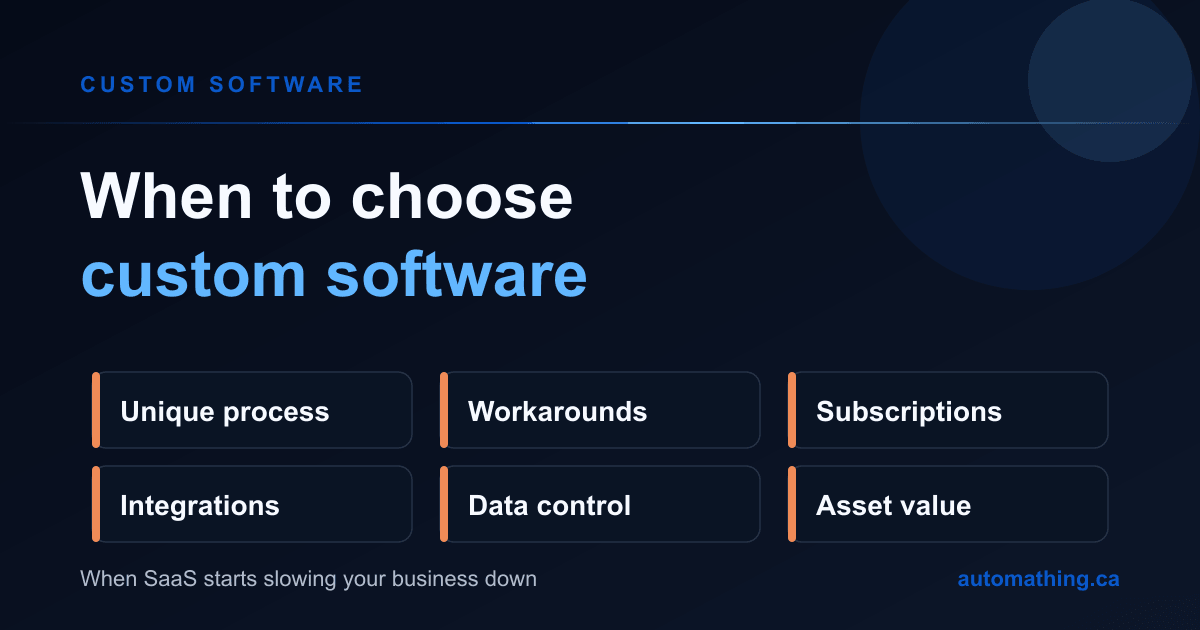
When to Choose Custom Software: 6 Signs It's the Right Choice
When should you choose custom software over SaaS? Here are 6 concrete signs that show when custom software becomes the right choice for your business.